freight shipping plugin for bulky items
Integrate live LTL/FTL rates, book and track bulky shipments, and manage accessorials and NMFC classes to reduce freight costs.
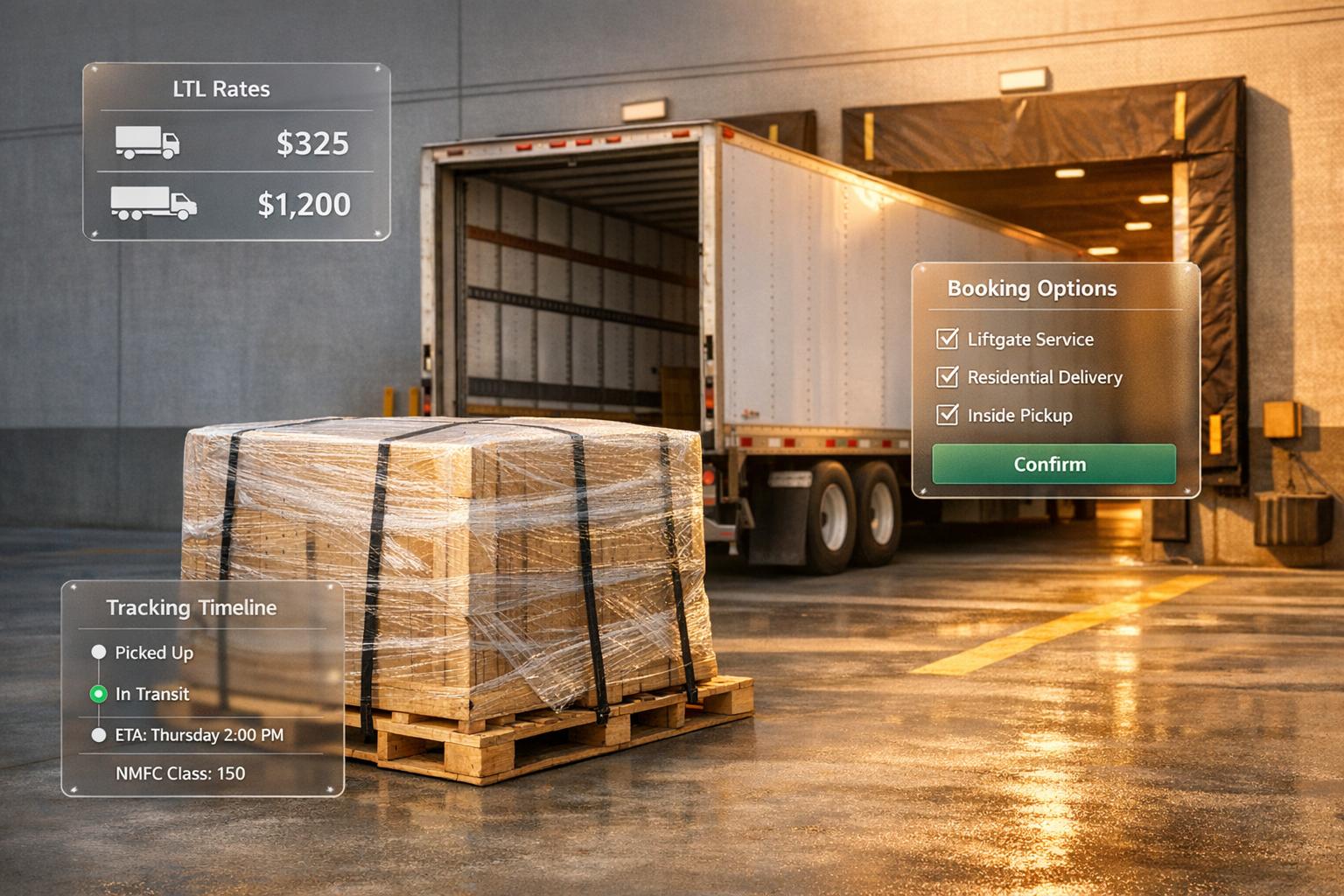
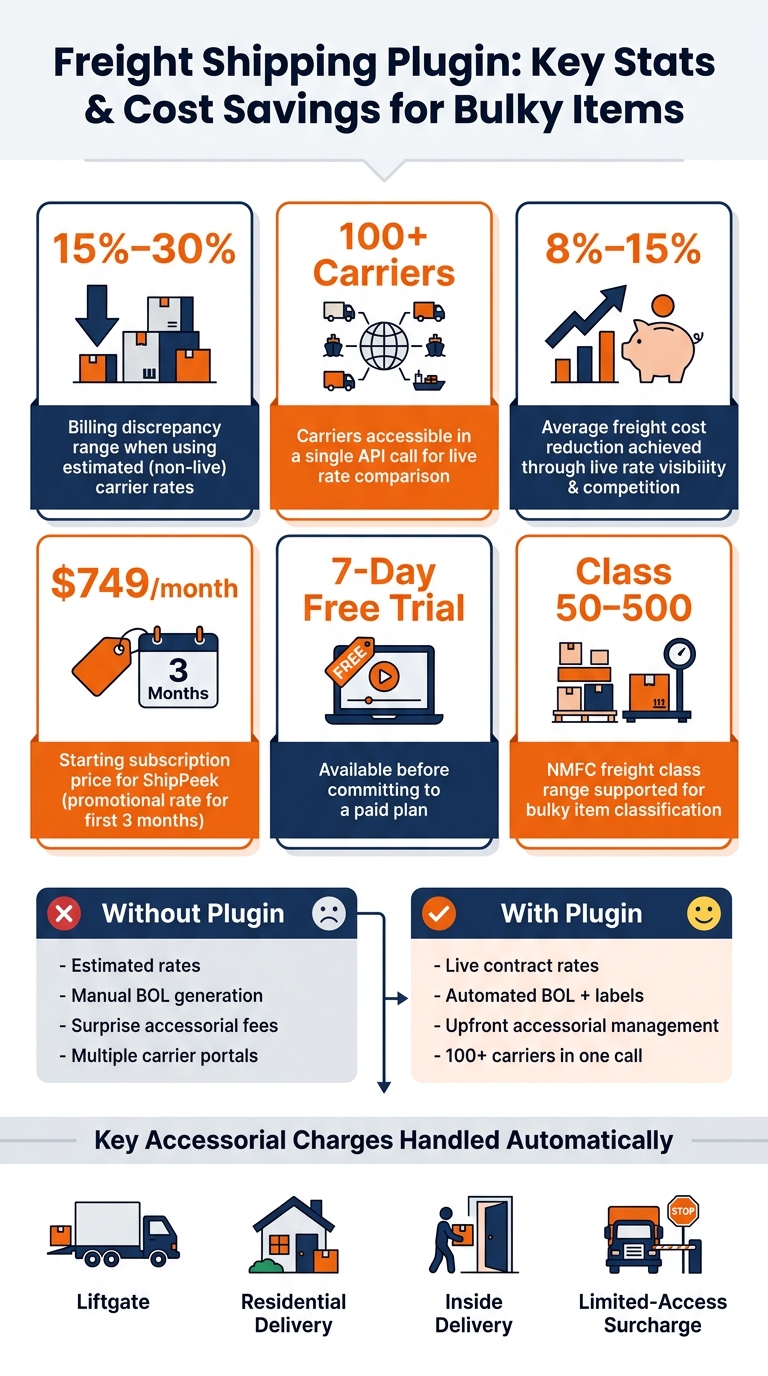
Freight shipping plugins simplify bulky item shipping by integrating live carrier rates, booking, tracking, and document generation directly into your ecommerce or transportation systems. These tools reduce billing discrepancies (which can range from 15%–30%) and manage complex shipping requirements like freight class, accessorial charges (e.g., liftgate or residential delivery), and NMFC codes.
Key benefits include:
- LTL & FTL Rate Comparison: Access live rates from 100+ carriers in one API call.
- Automation: Generate Bills of Lading (BOL), schedule pickups, and track shipments.
- Cost Control: Businesses often save 8%–15% on freight costs through better rate visibility and carrier competition.
- Scalability: Flat-rate pricing avoids high API fees, making it ideal for high-volume shippers.
For example, ShipPeek offers a subscription-based solution starting at $749/month, with tools tailored to U.S. shipping needs like ZIP code support, freight class validation, and accessorial management. Efficient bulky item shipping is achievable with the right plugin, helping businesses avoid unexpected costs and improve operational efficiency.
Key Features of Freight Shipping Plugins for Bulky Items
API Integration for LTL and FTL Shipping
When it comes to handling bulky shipments, plugins need to connect directly with carrier APIs to pull live contract rates. A good plugin simplifies the entire process - rate comparisons, booking, generating Bills of Lading (BOL), and tracking - through API integration. Instead of juggling multiple carrier portals like FedEx Freight, XPO Logistics, Estes Express, or Saia, a single API call can provide quotes from over 100 carriers at once [1]. This approach speeds up decision-making and reduces manual errors, which is critical when managing heavy or oversized freight. Such integration is the backbone of handling the complexities of bulky shipping.
Managing Complex Shipping Requirements
The best plugins take the API data and go a step further by addressing the unique challenges of shipping bulky items. These shipments often come with extra service needs. For example, delivering a refrigerator to a residential address may require a liftgate, while sending industrial equipment to a construction site might incur limited-access surcharges. If a plugin doesn’t capture these details upfront, unexpected fees can pile up later.
Advanced plugins solve this problem with detailed accessorial management, allowing users to specify requirements like liftgate services, inside delivery, residential access, or location type (e.g., construction site, farm, school, military base, or trade show) during the quoting process. This proactive approach helps avoid “surcharge leakage,” where surprise fees appear because the original quote didn’t reflect the actual delivery conditions [3][5].
Accurate quoting also hinges on precise inputs. Plugins must support features like NMFC code validation, dimensional weight calculations, and multi-pallet configurations, including non-standard pallet setups [8]. Getting these details right at the quoting stage is essential for keeping shipping costs predictable.
Scalability and Reliability for High-Volume Freight
For businesses shipping large volumes of bulky freight, scalability and reliability are non-negotiable. Using per-request pricing can drive up costs as shipping needs grow, so flat-rate subscription pricing with unlimited API requests is a better option for predictable expenses [1].
Reliability also depends on how well the plugin performs under pressure. Configurable API timeouts, adjustable between 1 and 30 seconds, ensure fast responses during peak times [5]. A tighter timeout - around 1 second - keeps the user experience smooth by avoiding delays caused by slower carrier APIs. Before scaling up to high-volume operations, testing in a sandbox environment is crucial. This allows businesses to validate carrier setups and pallet logic without affecting live shipments [4][7].
sbb-itb-8138a00
How to Design a Freight Shipping Plugin for Bulky Items
Functional Requirements
To create a freight shipping plugin that manages bulky items effectively, it must seamlessly integrate key functions like rate shopping, booking, live tracking, and document automation. Each feature should work together to streamline operations and reduce costs for freight management.
Rate shopping needs to pull live contract rates from over 100 carriers in a single API call. This includes transit times and detailed breakdowns of charges [1][4]. Once a rate is selected, the plugin should handle shipment bookings via the API and automatically generate essential documents like Bills of Lading, shipping labels, and pickup confirmations - completely removing the need for manual processing [4].
Given the nature of bulky freight, accessorial management is a must. The plugin should collect details for services like liftgate, inside delivery, residential access, and limited-access locations upfront [5][6]. For shipments involving hazardous materials, the booking request must also gather an emergency contact name and phone number, as not all carriers accept hazmat loads [6].
While these functional capabilities are the foundation, the design also needs to prioritize performance and security to ensure reliability and trustworthiness.
Non-Functional Requirements
In addition to core functionality, the plugin must maintain high standards of performance and security. For security, carrier credentials should be stored in a centralized TMS dashboard, while the plugin itself retains only a temporary Bearer token (client_id.client_secret) [3][5]. This ensures that sensitive carrier logins remain secure, even if the storefront is compromised.
The plugin should operate in two distinct environments: a production URL for live shipments and a sandbox URL for testing [4]. This dual-environment setup allows for safe experimentation without disrupting real operations. To keep tracking consistent across carriers, the plugin must normalize tracking data - using PRO numbers or tracking numbers - so updates are clear and uniform regardless of the carrier [4].
U.S.-Specific Settings to Include
To align with domestic shipping requirements, the plugin must include specific configurations tailored for U.S. operations. For instance, weights should always be measured in pounds (lbs), and dimensions should use inches (L×W×H) [5]. Rates and charges must be displayed in USD [7].
Geographically, the system should rely on 5-digit ZIP codes for both origin and destination addresses, along with state fields and a default country setting of “USA” (with “CAN” as an option for cross-border shipments) [5]. Freight class support is crucial, covering the full NMFC range from Class 50 to Class 500, which is determined by item density [2]. Location types - such as business dock, residential, construction site, farm, military base, and trade show - should map directly to the originType and destType fields. This ensures that location-based accessorial charges are automatically applied during the quoting process [5][6].
| U.S.-Specific Setting | Details |
|---|---|
| Measurement Units | Weight in lbs; dimensions in inches (L×W×H) |
| Geography | 5-digit ZIP codes; State; Country defaults to USA |
| Currency | All rates and charges formatted in USD |
| Freight Classes | NMFC classes 50 through 500 based on item density |
| Facility Types | Business dock, residential, construction site, farm, military base, trade show |
How to Implement ShipPeek LTL TMS for Bulky Freight
Integration Steps with ShipPeek LTL TMS
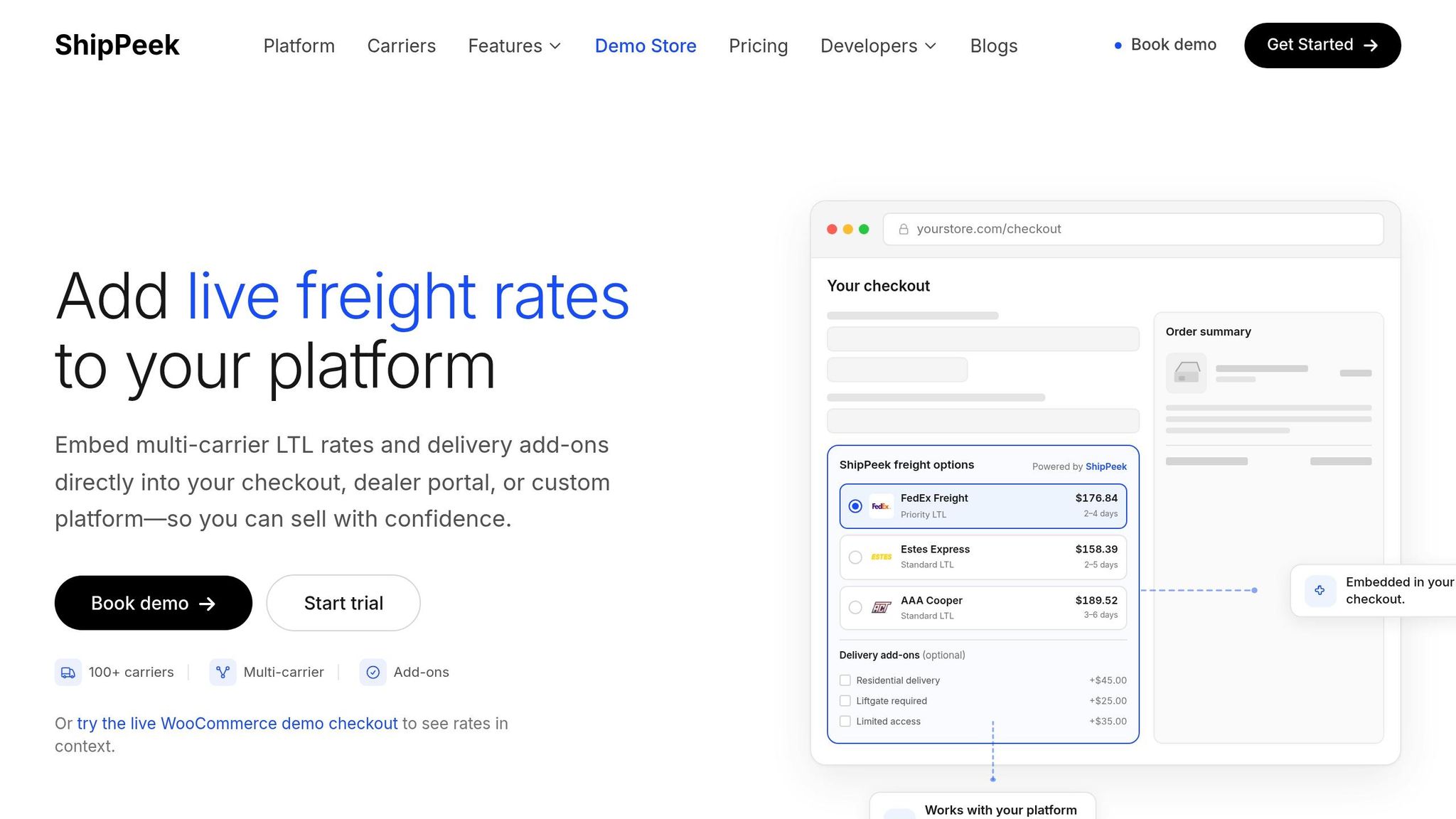
ShipPeek offers two integration options: a REST API and a WooCommerce plugin for ecommerce stores. Both follow a similar process - start by setting up your carriers, then connect your storefront or order system.
Begin by activating a carrier account (such as Estes Express, Saia, or FedEx Freight) in your ShipPeek dashboard. Once activated, retrieve your API credentials (client_id and client_secret) and combine them into a Bearer token for authentication.
| Integration Path | Key Steps |
|---|---|
| REST API | Retrieve credentials → POST /rates → Save Quote ID → POST /book with Quote ID and Rate ID |
| WooCommerce Plugin | Install the plugin → Connect to ShipPeek → Configure settings in the dashboard → Go live |
ShipPeek provides a sandbox environment at api.shippeek.dev for testing rate requests and bookings. Access to the sandbox is typically granted within 24 hours of completing your account setup and carrier configuration.
Once integrated, ShipPeek streamlines your freight workflow, making bulky item shipping easier and more efficient.
Automation Capabilities of ShipPeek
After integration, ShipPeek automates critical shipping tasks. A single POST /rates call retrieves live contract rates from over 100 carriers, complete with transit times and a detailed breakdown of charges. This feature helps eliminate the 15%–30% billing discrepancies often caused by relying on estimated rates instead of live carrier pricing.
Once you’ve selected a rate, a POST /book request finalizes the shipment and automatically generates essential documents like the Bill of Lading (BOL), shipping label, and PRO number. For bulky items, setting schedulePickup to true in the booking call notifies the carrier to arrange a pickup, reducing the need for manual communication like phone calls or emails. These automation features remove manual data entry, creating a seamless end-to-end shipping process.
“ShipPeek pulls live contract rates directly from carrier APIs at checkout, eliminating billing discrepancies.” - ShipPeek
For WooCommerce merchants, carrier prices are displayed at checkout, while surcharge policies are managed directly in the ShipPeek dashboard. This ensures customers see only the final shipping price without any hidden fees.
“Merchants control surcharge policy in ShipPeek while shoppers only see final shipping prices.” - ShipPeek
Flat-Rate Pricing and Unlimited Usage with ShipPeek
ShipPeek uses a flat monthly subscription model, eliminating per-request fees or freight markups. This pricing approach is especially appealing for businesses shipping bulky items, as it avoids high API costs from frequent rate inquiries or large shipment volumes.
You can start with a 7-day free trial to explore live LTL quoting, booking, and tracking features. After the trial, subscription pricing begins at $999 per month. For new users, there’s a promotional discount for the first three months, reducing the rate to $749.
Businesses using ShipPeek often see an 8%–15% reduction in total freight costs. This is achieved through better rate visibility and increased carrier competition, helping businesses save money without unexpected charges.
Measuring Success and Cutting Costs for Bulky Freight
Key Metrics for Freight Shipping Plugins
Tracking the right metrics is crucial for managing bulky freight efficiently. By keeping an eye on performance indicators, you can fine-tune processes and control costs. One of the most critical metrics is your billing discrepancy rate - the difference between the quoted rate and the actual charge from the carrier. On average, billing discrepancies can range between 15–30% [1]. Monitoring this and other metrics provides a clear picture of your freight operations’ efficiency.
Here are some other important metrics to watch:
| Metric | Why It Matters for Bulky Freight |
|---|---|
| Billing Discrepancy Rate | LTL estimates often miss 15–30% of final costs [1] |
| Freight Spend | Multi-carrier visibility can reduce overall costs by 8–15% [1] |
| Accessorial Accuracy | Tracks charges like liftgate, residential delivery, and limited-access fees |
| Transit Day Reliability | Ensures delivery times align with customer expectations |
For bulky freight, accessorial accuracy is especially important. If key charges like liftgate or residential delivery aren’t accounted for during checkout, merchants often end up absorbing these unexpected fees later.
How ShipPeek Helps Lower Freight Costs
ShipPeek simplifies cost management by pulling live contract rates from over 100 carriers in a single API call. This means you’re comparing actual prices, not rough estimates, which encourages competition among carriers and helps lower shipping costs.
“ShipPeek reduces freight spend by 8–15% with live rate comparisons and increased carrier competition.” - ShipPeek [1]
Another advantage is ShipPeek’s flat-rate subscription model, which eliminates hidden fees. With no per-request API charges or per-dollar markups, businesses handling high volumes of bulky freight can avoid spiraling platform costs. For instance, the Premium plan at $750/month includes advanced freight analytics. These analytics offer lane-level insights, helping you identify where you’re overspending and where you can save.
Regular monitoring and adjustments ensure these savings are maximized over time.
Ongoing Optimization for Bulky Freight
The data your shipping plugin generates is just as important as the automation it offers. ShipPeek’s Exceptions + Reports workspace helps you monitor carrier performance and lane trends. This makes it easier to identify which carriers consistently provide the best rates for specific routes - and which ones might be causing delays.
To keep costs in check, consider these two strategies:
- Audit lane trends regularly: Export CSV files to analyze which routes are most cost-effective.
- Use shipment templates: For frequently used lanes, templates reduce errors and streamline processes.
For items that could be shipped as either LTL or parcel, the plugin’s rate comparison tool can help you decide the cheaper option. Often, the cost difference is more substantial than you might expect. Also, don’t overlook your NMFC freight class selections. Misclassifying dense items into higher classes can lead to unnecessarily high charges.
Shopify Freight Shipping | Configure Shopify Freight Shipping Apps for Better Rates

Conclusion
Shipping bulky items doesn’t have to be a headache filled with unexpected costs or checkout rates that don’t align with the final bill. A reliable freight shipping plugin bridges these gaps by linking your store to live carrier rates, accounting for accessorial fees upfront, and automating tedious paperwork that can delay fulfillment.
The challenges of freight shipping are backed by hard data. Issues like billing discrepancies and the potential for freight spend reductions highlight how crucial accurate rate visibility and carrier competition are for maintaining profitability - especially for businesses shipping large or heavy goods in high volumes.
ShipPeek is designed to address these pain points with live, automated freight management. It simplifies bulky freight shipping without introducing hidden fees or added complexity. With transparent flat-rate subscription pricing, starting at $749 and including a 7-day free trial, ShipPeek transforms logistical challenges into manageable, cost-efficient operations.
For bulky freight, accurate rates, accessorial fee transparency, and streamlined workflows aren’t just conveniences - they’re the difference between shipments that boost your bottom line and those that quietly chip away at it.
FAQs
What details do I need to quote bulky freight accurately at checkout?
To ensure accurate freight quotes during checkout, make sure to include essential shipment details. These typically consist of the origin and destination ZIP codes, the total weight (in pounds), and the NMFC freight class (ranging from 50 to 500). For more precise pricing, specify the types of pickup and delivery facilities involved - whether it's a business dock, residential location, or a site with limited access. Additionally, if any extra services are needed, like liftgate pickup or delivery, be sure to mention those upfront. This helps prevent unexpected billing issues later on.
How does the plugin prevent surprise fees like liftgate or residential charges?
The plugin helps shoppers dodge unexpected fees by allowing them to choose services like residential delivery, liftgate assistance, or limited-access deliveries right at checkout. These choices are handled through ShipPeek, ensuring customers are presented with the _final_, accurate shipping cost upfront. By connecting with live carrier rates through APIs, the system puts an end to post-shipment billing surprises caused by unplanned service fees.
What should I look for to ensure the plugin scales for high-volume shipping?
To handle high-volume shipping efficiently, opt for a plugin that offers unlimited rate requests and flat-rate pricing to keep costs predictable. Prioritize features like a unified multi-carrier dashboard that simplifies rate comparisons, booking, and tracking. Make sure it supports automated workflows and integrates with real-time carrier APIs. Compatibility with your existing ecommerce or TMS platforms is also key to maintaining smooth operations as your shipping demands increase.